How to keep a Folio
Folio is meant to be learned by using it, so nothing here is required reading. But a map never hurt. This is the whole app, room by room. Read it through, or jump to the part you came for.
Adding a book
Search by title or author, or scan the barcode on the back cover. Pick the result that matches your copy, and Folio asks where the book belongs: Reading, On the Shelf, Finished, or Set Aside.
If you add a book from inside a room, it skips the question and the book goes straight there.
A wrong cover or edition. Open the book and choose Find the Right Book. You can pick the correct match, and the cover that belongs to your edition.
Home
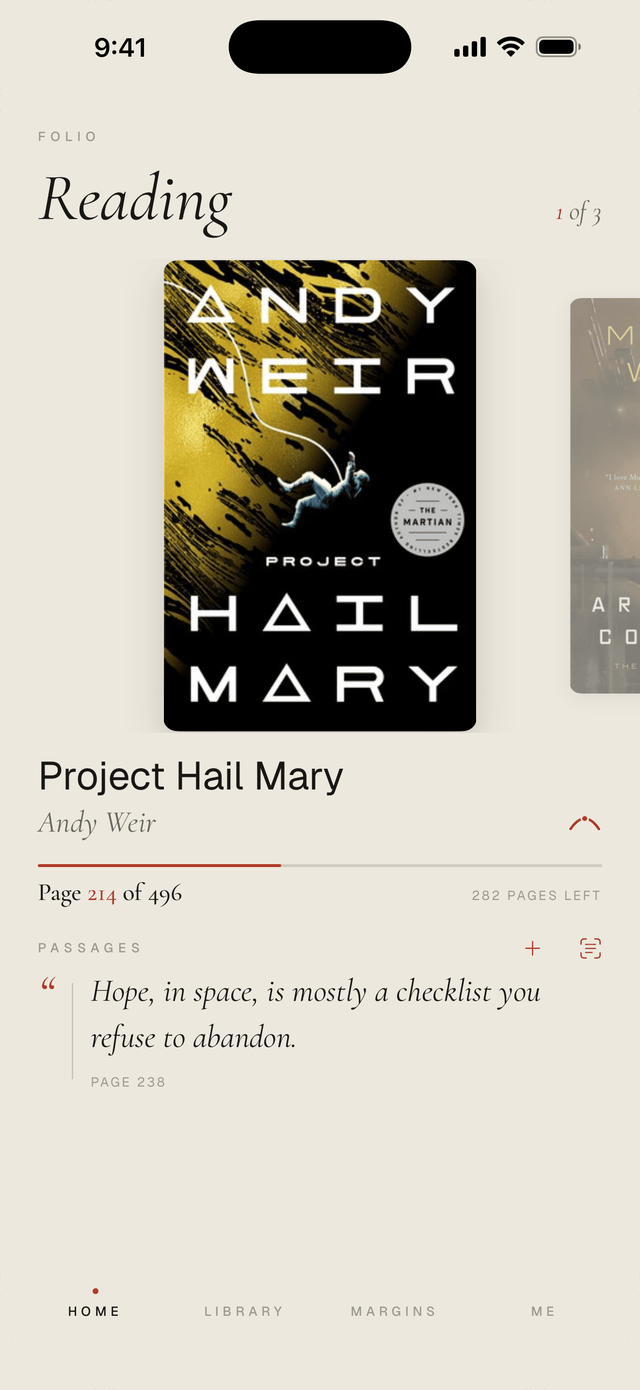
Home opens on the book you're reading. If you're reading more than one, swipe across the covers. The book you last read comes to the front, and the widget always shows the same one.
The line beneath the book is your bookmark. Tap it to save your place when you put the book down. The small arc above its end opens the book's Reading Arc.
Your latest passage sits underneath, with as much of it as your screen has room for. Tap it to read the whole thing. Beside Passages, the + starts a new one, and the camera mark lifts a line straight off the page.
Tap the cover to open the book's own page.
The rooms
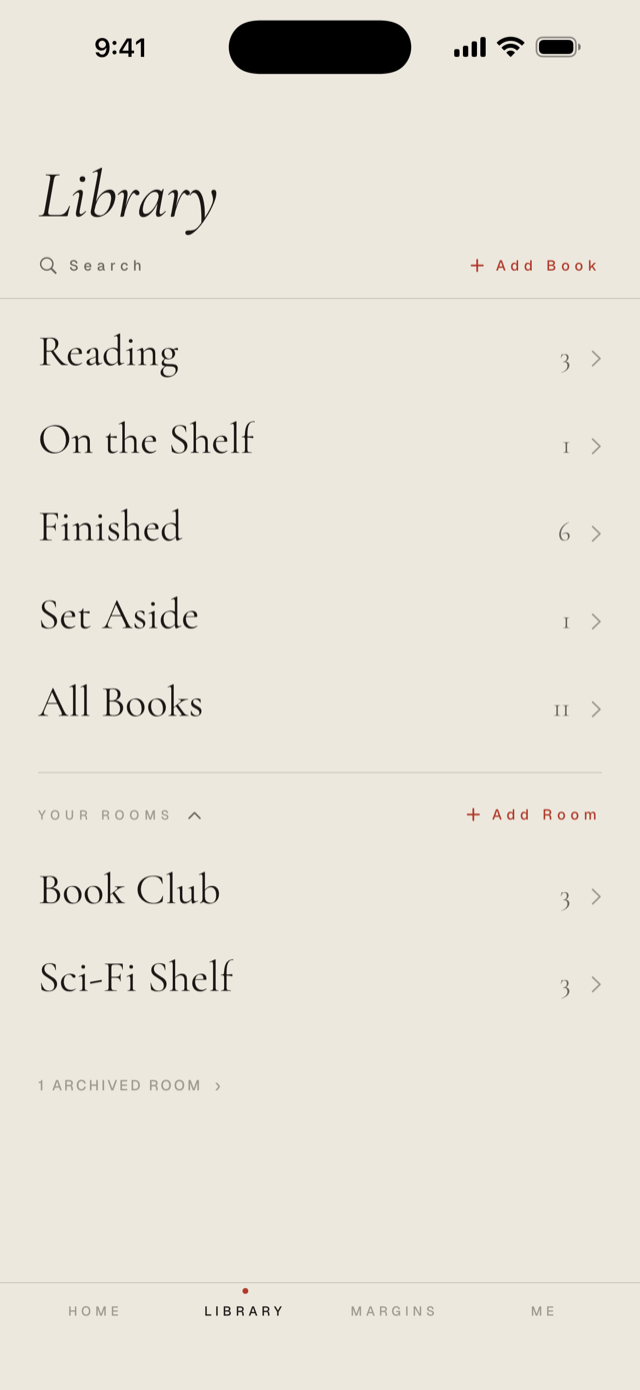
Your Library is a set of rooms. Four come with the house: Reading, On the Shelf, Finished, and Set Aside. Every book is in exactly one of them, and you move it by opening it. A book On the Shelf has Begin Reading and Mark Finished right on its page.
The rest of the rooms are yours to build. A book club, a summer stack, one room for a whole genre. A book can live in as many of your own rooms as you want, and a room whose season has passed can be closed without losing what it held.
Inside any room, search finds a book by its title, its author, or even by a line you saved from it. In Reading and On the Shelf you can also sort by My order and drag books into whatever order you keep them in your head. Each room remembers how you last sorted it.
A book's page
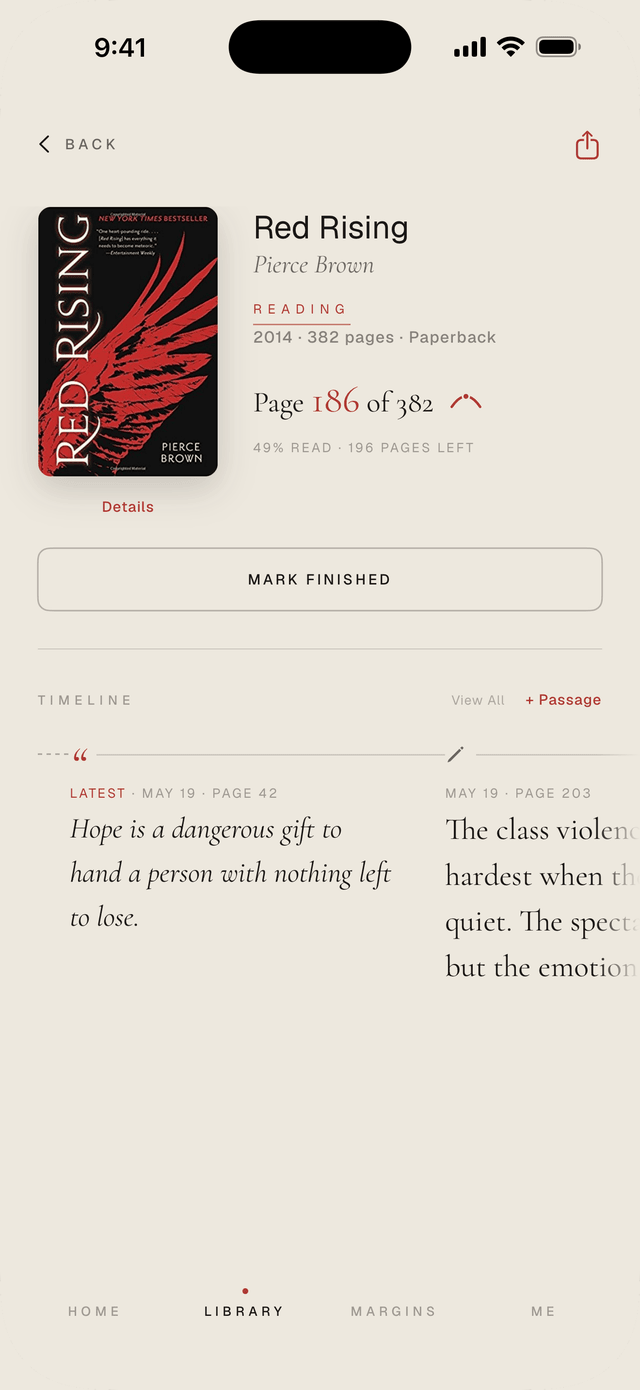
Open any book, from Home or your Library, and its page holds everything about it: where you are, your review once it's finished, and the Timeline.
The Timeline tells the story of your reading, newest first: the passages you kept, the days you read and how much, and the day you started. Before that, the day you added the book, if it sat on your shelf before you started. A finished book begins with the day you finished it. Swipe back through it, or tap View All to read it from the beginning.
Tap a passage to read it whole. Tap a day to open the book's Reading Arc. Readings from past years carry their year.
Details, under the cover, holds the rest: the edition, the description, and the rooms the book lives in.
The Reading Arc
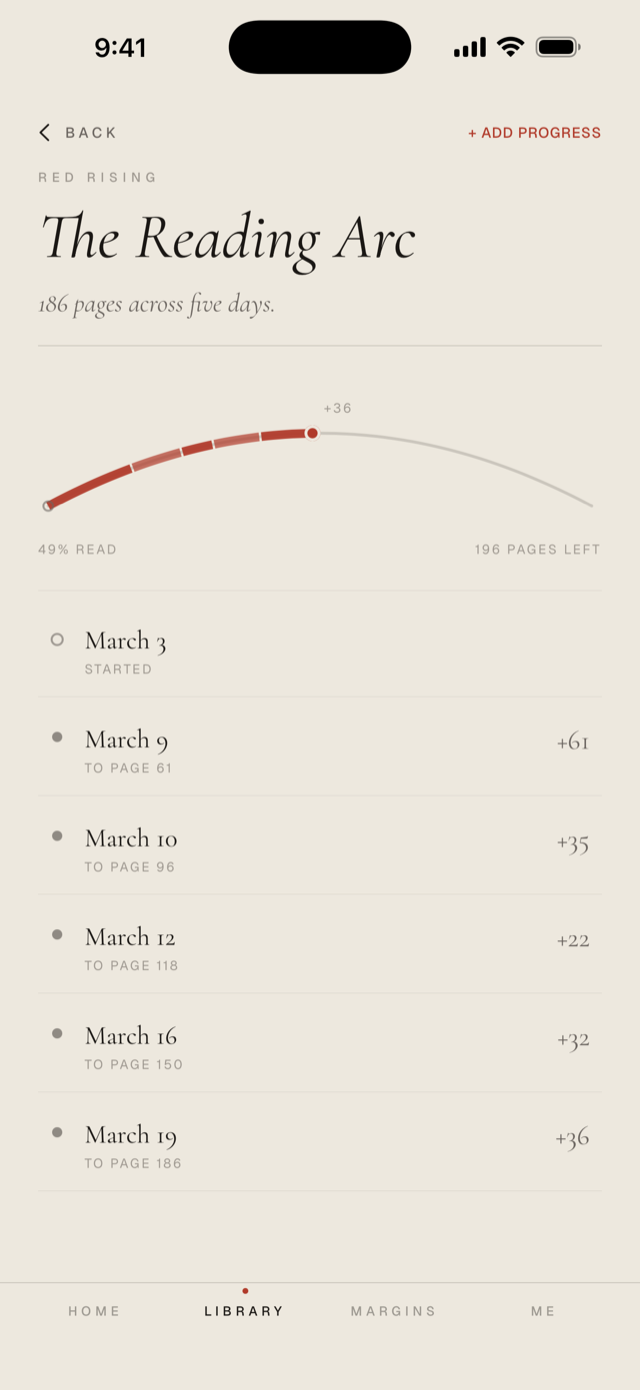
Every book keeps the story of its own reading. When you put a book down, save your place with a tap on the line beneath it on Home. Each day you do is drawn on one line that runs from the first page to the last: the arc. Some books get read in a weekend, some rest for a month and come back, and the arc shows which kind this one was.
Open it from the small arc beside your progress, on Home or on any book's page.
Paper books keep their place by page. Ebooks and audiobooks can use percent instead.
Save your place at the last page and Folio will ask if you've finished. Say yes and the book is marked finished, dates and all.
Passages
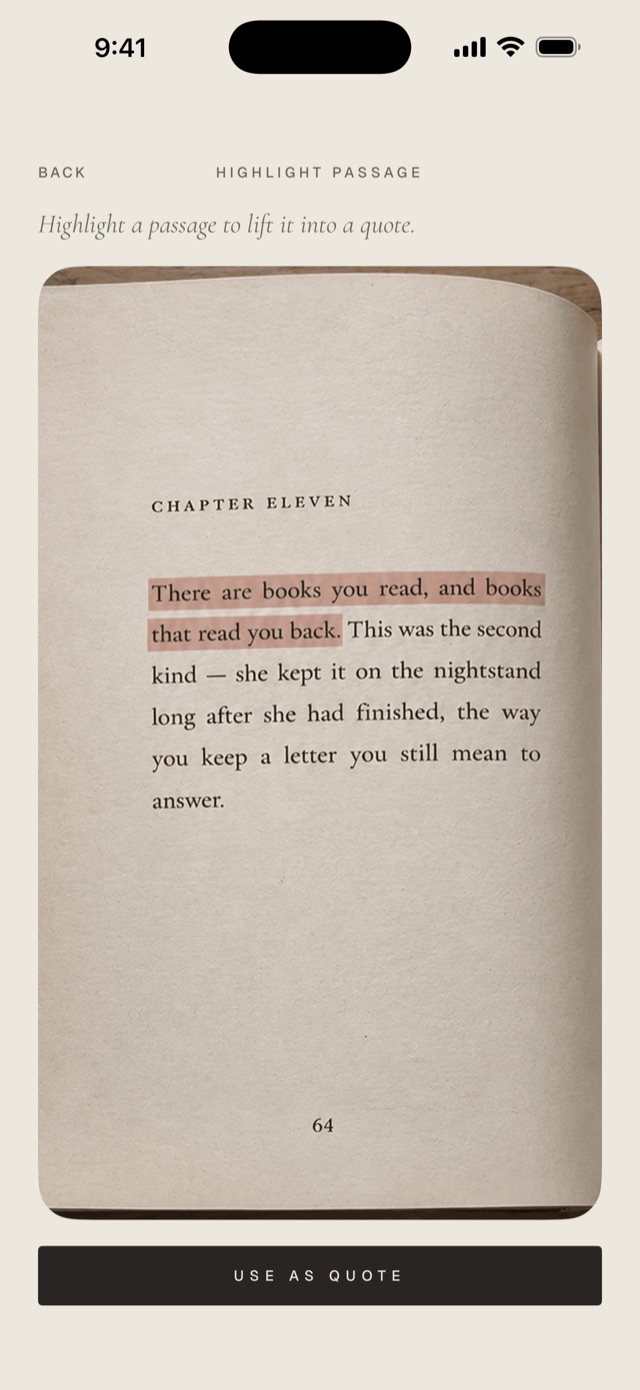
From Home or a book's page, start a passage and point the camera at the page. Highlight the words you want and Folio brings them in as text, ready to keep. You can add the page number, and a speaker when the words belong to a character rather than the author.
Quotes and notes keep their place on the book's Timeline, among the days you read, so your own thoughts stay next to the lines that caused them. Your latest one sits on Home, under the book.
Open any passage to see it whole, with your note. Edit it there, or see every passage you've kept from that book, one tap away.
Finishing a book
Mark a book finished and it moves to the Finished room with its dates kept. Then rate the prose, the characters, the pacing, or create your own categories, and write as much or as little of a review as you want.
You can read a book again whenever you like. Folio keeps each read with its own dates, and the review belongs to the book, not to any one read of it.
Not every book gets finished, either. Set one aside and it keeps its place in the Set Aside room until you pick it back up.
Margins, the reading year
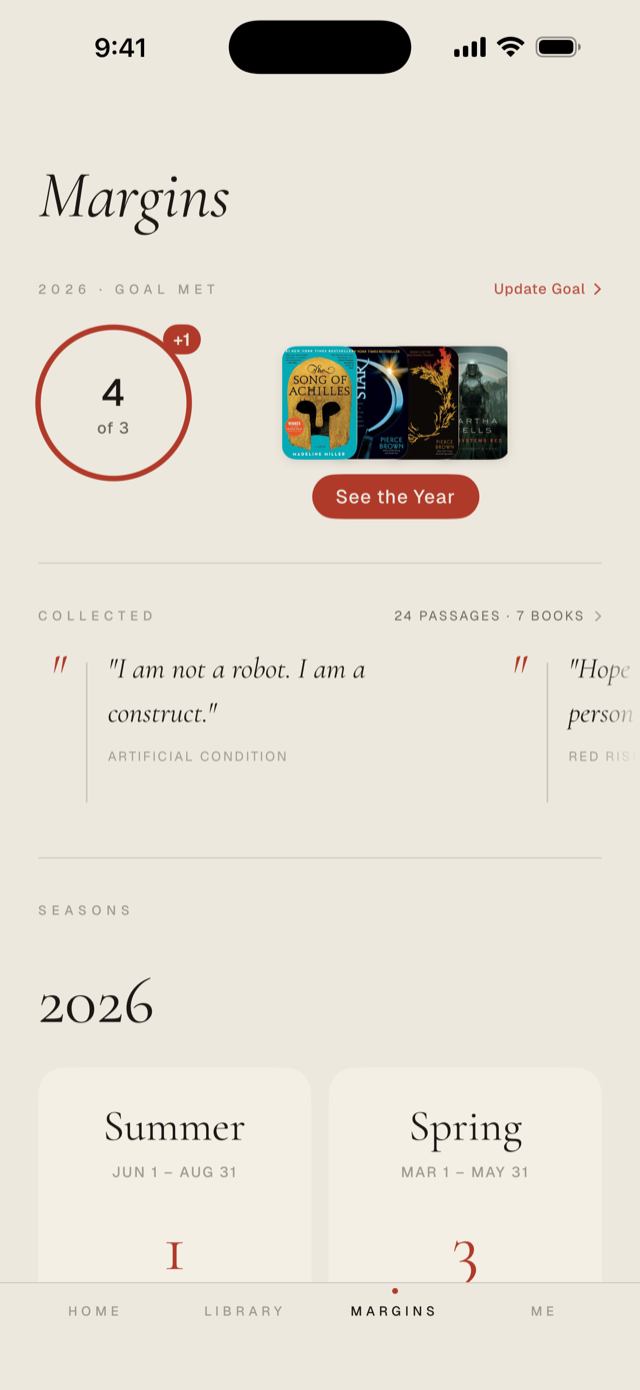
Margins holds the year of your reading. Set a goal and a ring fills as you finish books. It stops when it's full, and Folio doesn't nag about pace.
Below the goal, the year is laid out in seasons, spring through winter, each with the books you finished in it. Past years keep their seasons too.
The Grades. Your finished books, sorted by their stars into a tier list for the year. Nudge the close calls up or down, and share the list if you want.
Year in Review. At the end of the year, Folio puts it all on one page: the numbers, the goal, the seasons, the covers, and a card you can share.
Margins covers the year. The Me page covers everything since you started.
Recommending
Share a book and Folio makes a card worth sending, with a link to go with it. If your friend has Folio, the link puts the book one tap from their shelf. If they don't, the link still shows them the book.
Reviews can be shared too, and you choose exactly what goes in: which ratings, which words, or none of them.
Widgets
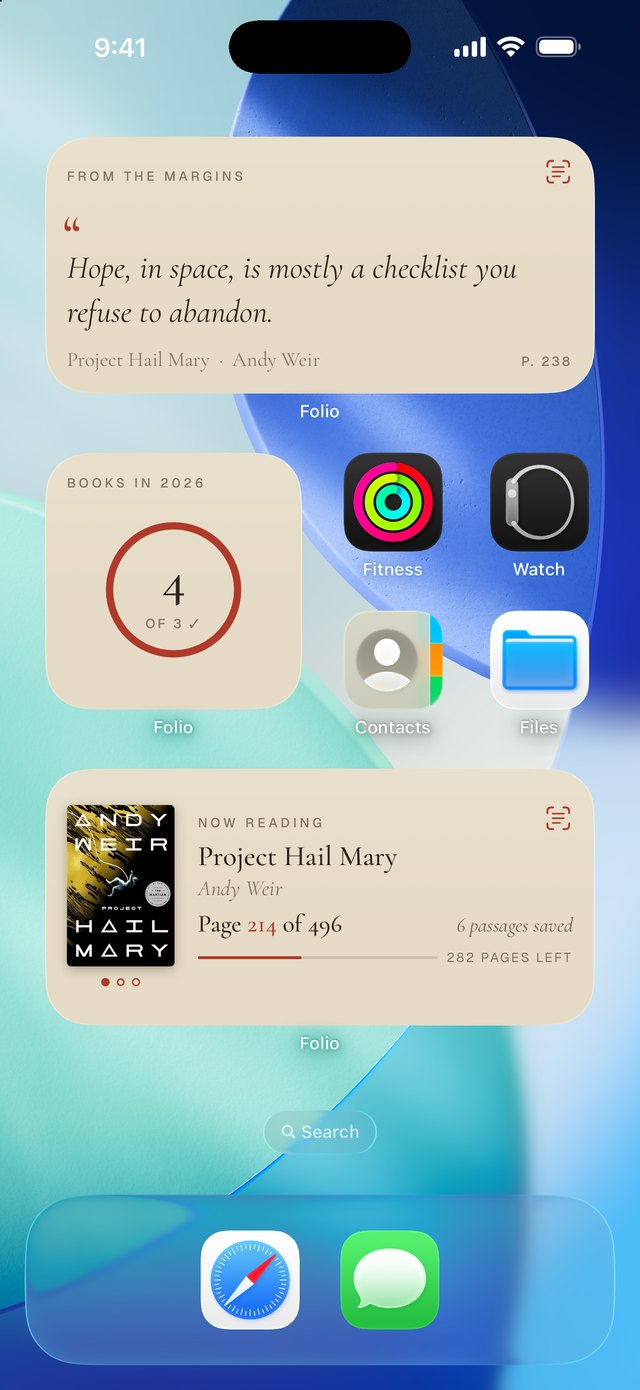
Folio comes to the home screen: the book underway, how far you've come, and a shortcut straight into saving a quote while the book is still open in your other hand.
Now Reading always shows the same book as Home, and a tap takes you straight there. On the wider one, tap your page to move your bookmark.
To add one, touch and hold your home screen, tap Edit, then Add Widget, and look for Folio. They come in three sizes.
Where your reading lives
On your iPhone, and in your own iCloud. Your library syncs through iCloud, so a new phone picks up exactly where the old one left off. There's no Folio server holding a copy, and no account to make, so there's no password to forget.
Folio also keeps a backup of its own in your iCloud, refreshed daily, and you can make one whenever you like with Back Up Now in Data & Storage.
The privacy policy says all of this in plain language.
If something is still unclear, write to [email protected]. A person reads every message and answers, usually within a day or two.